
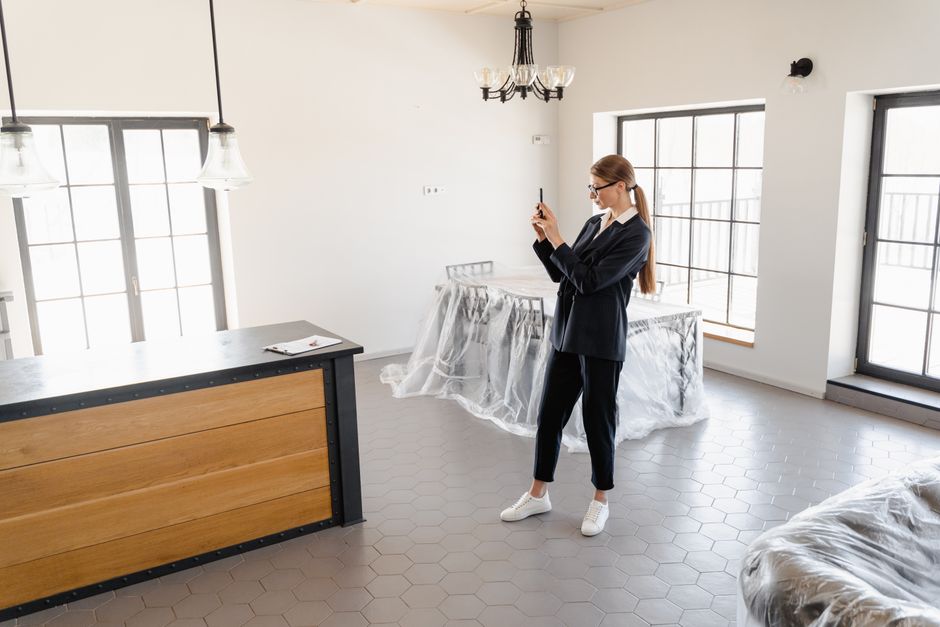
Shoppable room design tools help someone furnish a space and buy the featured products. Listing agents need a different output: publishable marketing assets with visible disclosure, traceable originals, MLS-ready copy, and a video that stays consistent with the photos.
Start with the job the image must do
A shoppable room designer usually answers a design question: What furniture would look good here, and where can I buy it?
That can be useful for rental property owners, interior design clients, and consumers planning a room. Product links, furniture carts, and style recommendations support the purchase decision.
An agent has a different job. You need to market a specific property without creating a misleading impression. The finished image must preserve the room’s permanent features, communicate that the furnishings are virtual, and fit into a larger listing package.
Before choosing a tool, write down the deliverables required for launch:
- Virtually staged images based on your original listing photos
- A visible disclosure that follows the applicable state rule and local publishing requirements
- A reliable way to match every staged image to its original
- MLS remarks reviewed for fair-housing concerns
- A listing video that reflects the same property and presentation
- Files sized and formatted for the MLS and your other marketing channels
A furniture cart does not complete those tasks.
Treat visible disclosure as part of the image
Disclosure buried in a caption, file name, or agent note can disappear when an image moves from one platform to another. A buyer may encounter the photo through an MLS syndication feed, social post, portal, email, or screenshot.
California AB 723 and rules emerging across roughly 38 other states make AI-photo disclosure an operational issue for listing agents. Requirements vary, so check your state association, broker, MLS, and legal guidance before publication.
The practical standard is simple: review the version a consumer will actually see. Confirm that the disclosure is burned into the exported image, readable at normal display size, and present on every image that requires it. This remains the agent’s responsibility even when software adds the label.
For a closer look at that publishing check, read Why Does My Virtually Staged Listing Photo Need a Visible Label?.
Keep the original and staged image connected
A staged image without its source photo creates avoidable uncertainty. If a seller, buyer, broker, regulator, or MLS reviewer questions an alteration, you should be able to identify the exact original quickly.
Keep these items together for each image:
- The original photograph
- The virtually staged version
- The room name or image identifier
- The disclosure treatment used
- The date the asset was reviewed
- A public provenance record when available
This record helps distinguish virtual furniture from changes to permanent property features. It also makes review easier when several bedrooms have similar angles or a photographer delivers dozens of files with generic names.
A public provenance page adds another layer of clarity because viewers can inspect the relationship between the marketing image and its source. The goal is a defensible trail, not a technical badge with no practical use.
Review property facts before approving the staging
Virtual staging should add removable décor while leaving the property itself accurate. Look closely at doors, windows, fireplaces, built-ins, floor transitions, ceiling lines, outlets, and room dimensions.
Reject an image if furniture blocks a meaningful feature or the generation changes something that conveys with the home. A digitally added sofa is one issue. An altered window, missing radiator, expanded doorway, or concealed damage is a different risk.
Use the original and staged versions side by side. Zoom in. Then review the final exported file, including its disclosure, instead of approving only the preview inside the design tool.
Build MLS copy from verified facts
Shoppable design output focuses on products and aesthetics. Listing copy must focus on the property.
Start with verified facts from the seller, public records, inspection materials where appropriate, and your own review. Separate permanent features from virtual presentation. If an image shows a home office setup, avoid implying that the room is legally recognized as a bedroom or that the displayed furnishings are included.
Run a fair-housing check before uploading the remarks. Automated checks can flag wording for review, but the agent must decide whether the final copy follows federal, state, local, brokerage, and MLS requirements.
Specific language is safer and more useful than decorative claims. “Second-floor room with built-in shelving” gives the reader something concrete. “Perfect nursery for a young family” introduces an avoidable fair-housing concern.
Make the video agree with the listing package
A listing video should use the same approved images and verified facts as the MLS package. Otherwise, corrections multiply. You may fix a staged photo while leaving the earlier version in the video, or revise the remarks without updating the narration.
Review the complete video for image order, disclosure visibility, pronunciation, property facts, and claims about features. AI narration saves production time, but it still needs human approval. Check the final render on a phone as well as a larger screen because labels that look readable on a desktop preview may fail at mobile size.
Compare total launch cost, not the staging quote
Agents often pay $230 or more for listing photography, while physical staging can cost $2,000 to $8,000 per listing. A low virtual-staging price may look attractive, but the quote can exclude disclosure work, provenance, revisions, video production, and MLS copy.
NestPath Listing Studio costs $49 per month and includes five kit credits per paid invoice. One credit generates one kit. New accounts receive one free signup credit, and additional non-expiring one-kit credits cost $12 each. There is no annual plan.
When comparing options, calculate the cost of the complete publishable package and the time required to assemble it. This price-comparison spreadsheet framework identifies the operational items that headline prices often omit.
For your next listing, create a six-item launch checklist covering staged images, visible disclosures, exact originals, provenance, MLS remarks, and video. Approve the package only after all six refer to the same verified property facts.
Comments
No comments yet.